
This demonstrates one method for creating Multiple Choice Cards at Anki.
Tested on:
- [Anki for desktop computers][anki-desktop] Version 2.1.54
- Create a new Note Type based on Cloze type with 5 possible multiple Choices:
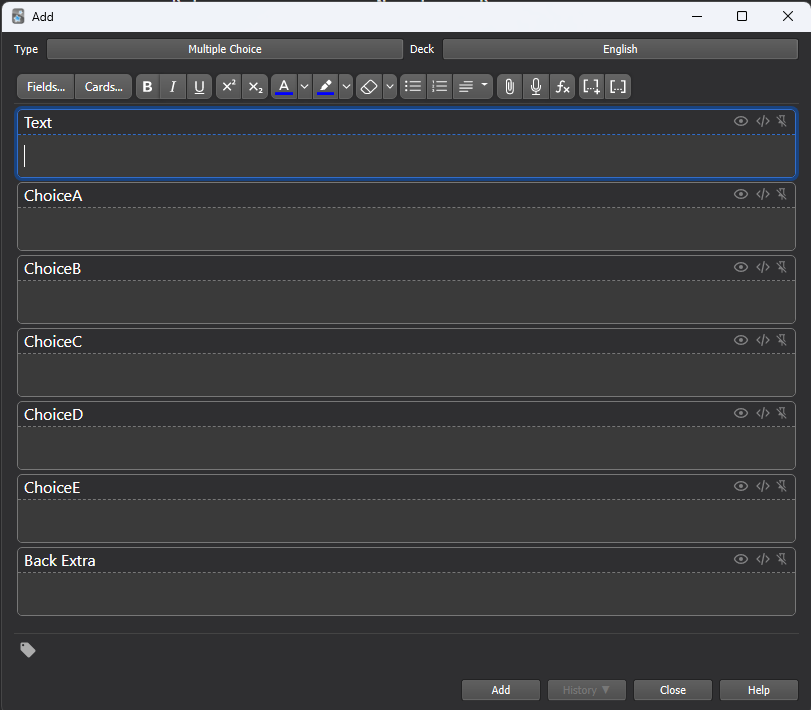
If you don't know how to do it, you can check this part of Anki's documentation: https://docs.ankiweb.net/editing.html#:~:text=To%20create%20a%20new%20type,one%20that%20comes%20with%20Anki.
- Click on "cards..." and copy and paste this code into the "Front Template":
{{cloze:Text}}

<div>
	{{#ChoiceA}}
    <div>
      <input type="checkbox">
      <label id="choice1">Will be sorted randomly each choice</label>
    </div>
	{{/ChoiceA}}

	{{#ChoiceB}}
    <div>
      <input type="checkbox">
      <label id="choice2">Will be sorted randomly each choice</label>
    </div>
	{{/ChoiceB}}

	{{#ChoiceC}}
		<div>
      <input type="checkbox">
      <label id="choice3">Will be sorted randomly each choice</label>
    </div>
	{{/ChoiceC}}

	{{#ChoiceD}}
		<div>
      <input type="checkbox">
      <label id="choice4">Will be sorted randomly each choice</label>
    </div>
	{{/ChoiceD}}

	{{#ChoiceE}}
		<div>
      <input type="checkbox">
      <label id="choice5">If it is not filled in, it will not appear</label>
    </div>
	{{/ChoiceE}}
</div>


<script>
function randomAlternatives(){


	let arrayAnswers = ["{{ChoiceA}}", "{{ChoiceB}}", "{{ChoiceC}}", "{{ChoiceD}}", "{{ChoiceE}}"]
	arrayAnswers = arrayAnswers.filter(item => item);
	arrayAnswers = arrayAnswers.sort(() => Math.random() - 0.5);

	document.getElementById("choice1").innerHTML = arrayAnswers[0];
	document.getElementById("choice2").innerHTML = arrayAnswers[1];
	document.getElementById("choice3").innerHTML = arrayAnswers[2];
	document.getElementById("choice4").innerHTML = arrayAnswers[3];
	document.getElementById("choice5").innerHTML = arrayAnswers[4];

}

randomAlternatives()

</script>
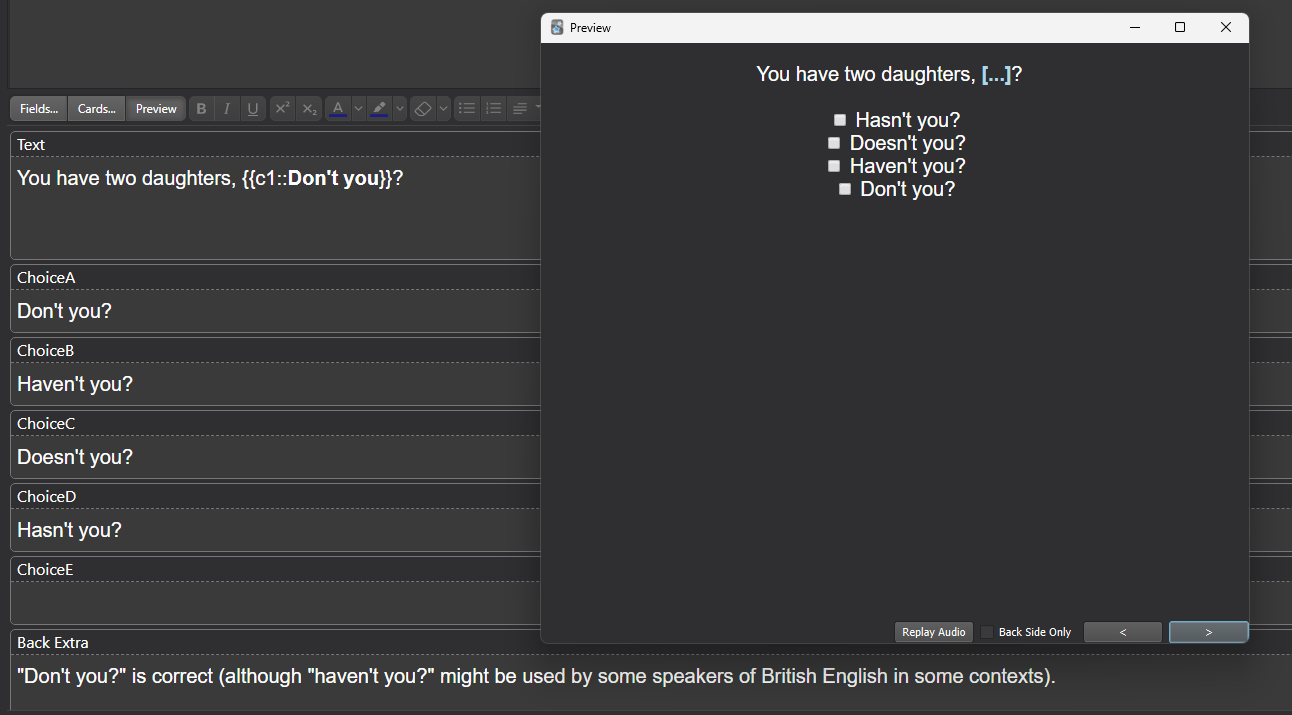
Obs: As you can see, the alternatives are radomly ordened. If you don't want to be random, you can remove this line:
arrayAnswers = arrayAnswers.sort(() => Math.random() - 0.5);